License updates
Keyforge also handles license upgrades and renewals for one-time purchases through your payment provider. Customers can easily upgrade their licenses or renew them when they expire, all through the portal.
This guide is only for one-time purchase products. For subscriptions, this is already built-in. See here for more information.
Set up license updates
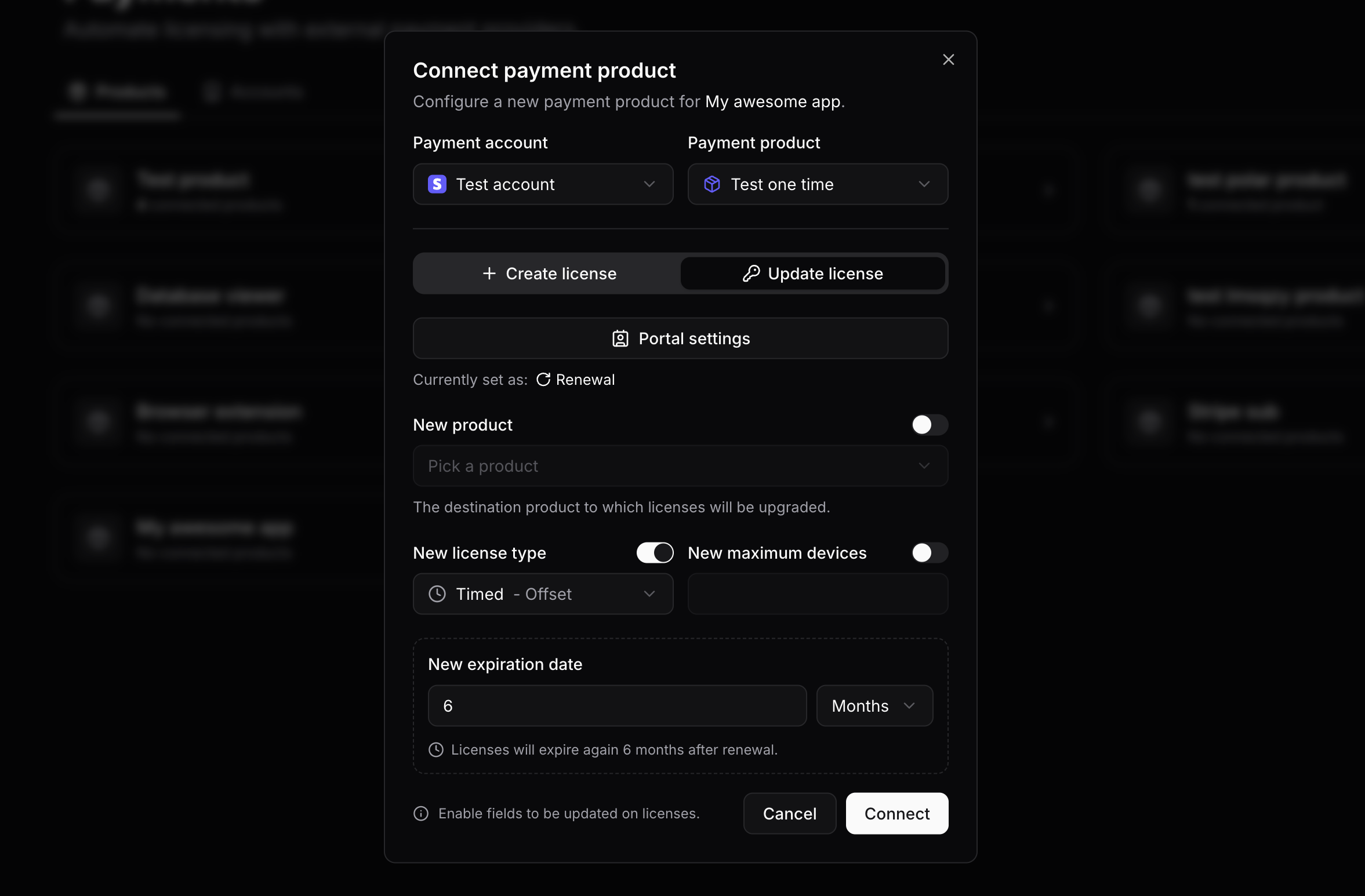
The process is similar to the initial setup, but with the "Update license" action selected. Select whether you want to set up renewals or upgrades below.
Configure which properties to update
Enable which properties of the license should be updated when a customer purchases the connected payment product.
For renewals, it's recommended to use an offset expiration. This way, the license expiration date will be extended by the duration configured. There can be up to 3 renewal options per Keyforge product.
License renewals can also be combined with perpetual fallback to allow customers to keep using the product with limited functionality after their license expires.
You're done! 🎉
That's it! When a customer with an expired license purchases the connected payment product, their license will be automatically updated according to your configuration.
Renewals are offered only to customers who have an expired license.
Trigger updates from outside the portal
By default, the Keyforge portal creates checkout sessions for your customers. If you create a checkout session outside the portal and want it to update a license, you must include a custom metadata field keyforge_license_key containing the license key to update.
If a renewal/upgrade is purchased through an external checkout that wouldn't be available in the portal, the license will not be updated.